

<img height="1" width="1" style="display:none" src="https://www.facebook.com/tr?id=1455318828112554&amp;ev=PageView&amp;noscript=1">

VIDEO
Products

Streaming
Deliver flawless live video to any audience, anywhere

OTT Apps
Launch and monetize your own branded TV & mobile apps

Spark Encoder
Tap into hardware encoding that's compact and powerful

Broadcaster App
Go live straight from your phone or tablet with studio-quality control


    Features

    BoxCast Flow
    Ensures smooth playback even on shaky networks

    Sharing
    Instantly clip, share, and amplify your broadcasts

    Producer
    Create professional streams right from your browser

    Third-Party Encoders
    Use the gear you love with our support of RTMP and SRT

      AUDIO

      RemoteMix
      Mix live audio remotely from anywhere in the world

      Compatible Mixers
      Connect your favorite digital mixer to RemoteMix

        WEBSITE

        Sites
        Build a streaming-ready website without any coding

        Templates
        Choose from predesigned layouts optimized for video

          INDUSTRIES

          House of Worship
          Reach and engage your congregation wherever they worship

          Sports
          Stream games with professional quality for fans everywhere

          Local Government
          Bring transparency and connection to your community broadcasts

          Business
          Power your corporate events, webinars, and live streams


                  LEARN

                  Blog
                  Insights, trends, and tips for the audio/video community

                  Tech Tips
                  Quick how-tos and deep dives on the latest streaming technology

                  Guides
                  Essential tips and expert strategies to expand your reach

                  Newsletter
                  Stay up to date with product news, best practices, and more

                  Podcast
                  Hear stories and strategies from our customers and experts

                    DISCOVER

                    Customer Stories
                    Explore real-world success stories to inspire your organization

                    Events
                    Join us at an upcoming conference and meet with our team

                    Webinars
                    Get all the details and register for our next live webinar

                    About Us
                    Discover our company's mission, values, and team story


                          Broadcasting, Live Streaming Hardware, Church + House of Worship
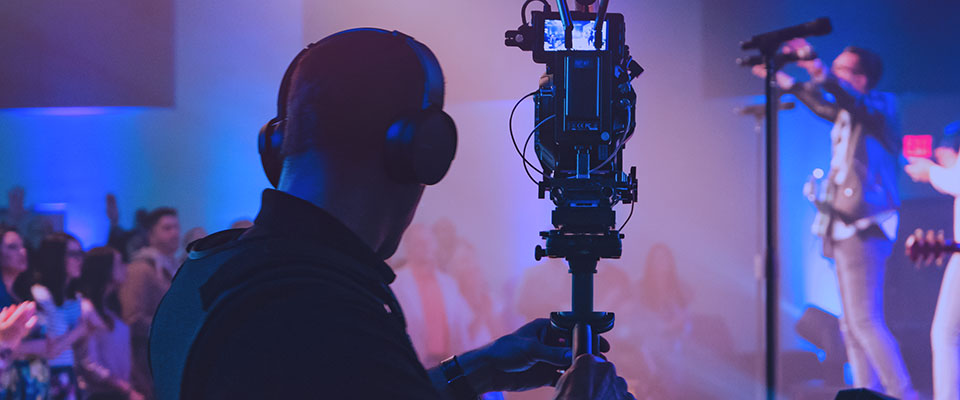
                          silhouette of a man operating a video camera during a church performance

                          Top 3 Church Live Streaming Cameras for Beginners

                          When it comes to video production and live streaming church services, picking the right camera for your church can be a daunting task. It can be a big investment, and making the right camera choice can make all the difference in providing a good viewer experience.

                          In this blog post, we provide our top recommendations for live streaming cameras tailored to the unique needs of church environments. We’ve narrowed down church streaming cameras to three main categories. Each type of streaming camera has strengths and weaknesses that make them suitable options depending on your church's specific needs — so be careful to consider your budget, volunteer staff, technical ability, and media needs outside of live streaming.

                          Remember: There’s no such thing as the best camera — just the best camera for your needs and the content you’re capturing. From crystal-clear video quality to user-friendly features, this list should help your church elevate its online presence and deliver a positive worship experience.

                          Want more personalized insight on your live streaming setup, or simply need help getting started? Get a demo from one of our friendly experts.

                          Get a Demo


                          Table of Contents


                          Option 1: Camcorder

                          What's a Camcorder?

                          A camcorder is a video camera designed specifically for video recording and streaming. It comes in a more traditional form and typically includes a built-in zoom lens. Camcorders are great for beginner church live streamers looking for the simplest setup and ultimate ease of use. 
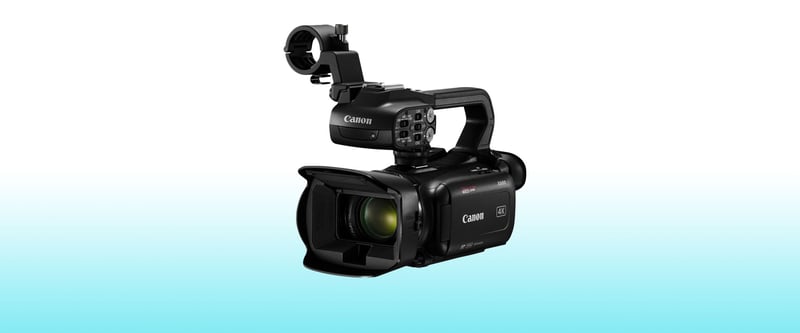
                          Canon XA60 Professional UHD 4k Camcorder Video Camera

                          Our Recommendation:

                          Canon XA60 Professional UHD 4K Camcorder

                          Price:

                          $1,599

                          Pros:

                          • Optical Zoom – The built-in 20x optical zoom lens on the XA60 allows you to zoom in close to subjects when your camera position is in the back of a room.
                          • Record Time – Camcorders are designed to record longer events like church services without overheating, and because the XA60 has dual SD card slots, you can record on the camera continuously for hours on end.
                          • Ease of Use – The XA60 is ready to use out of the box. Switching from Auto to Manual mode is very simple. This makes it great if you're a live streamer who's less experienced or if you prefer to just set it and forget it.
                          • 4K Recording – You can record video at 4K resolution up to 30fps on the XA60. This gives you better picture quality and clarity.
                          • AC Power Adapter – You can easily plug the XA60 into a wall, so you don’t need to worry about the camera battery dying.
                          • Audio Inputs – The XA60 includes a top handle with professional XLR inputs, which allows you to connect a feed from your soundboard to simplify your workflow. 

                          Cons:

                          • Low-Light Performance – Compared to a mirrorless or cinema camera, the low-light performance on the XA60, while adequate, isn’t as good as the mirrorless option below because of the smaller sensors found typically in this type of camcorder.
                          • Extra Gear Required – Its micro-HDMI output means you need an HDMI adapter or to convert your output signal to SDI if you need to send your camera feed longer distances.


                          Option 2: Mirrorless Camera

                          What's a Mirrorless Camera?

                          Modern, sleeker versions of  DSLR cameras, mirrorless cameras come with many features that make them a great hybrid for both live streaming services and higher-quality video content capture for events happening in your church (promo videos, highlight videos, testimonials, etc.).

                          Mirrorless cameras aren’t sold with built-in lenses, so there’s some additional customization and expense required in finding lenses that fit best with your setup. Because they have larger sensor sizes and are designed for cinematic video capture, the overall video quality of mirrorless cameras tends to shine above the other two types of cameras listed in this post.
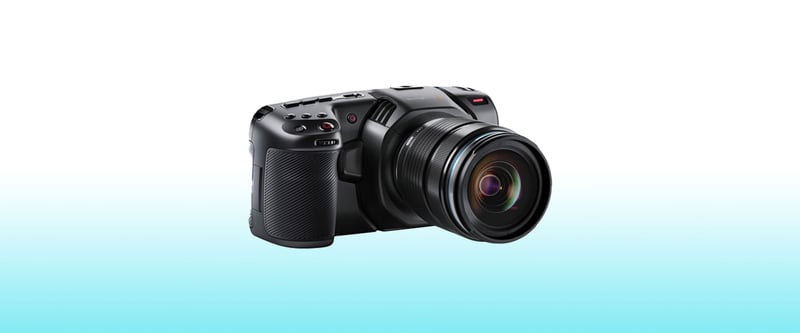
                          Blackmagic Design Pocket Cinema Video Camera 4k

                          Our Recommendation:

                          Blackmagic Design Pocket Cinema Camera 4K

                          Price:

                          $1,295 (Camera Body Only)

                          Pros:

                          • Picture Quality – The image quality (resolution, color depth, low-light performance, etc.) you can get with the Pocket Cinema Camera is unparalleled at its price point.
                          • Versatility – This camera can double as a live streaming camera, and a cinema camera for additional content you’re looking to capture at your church.
                          • AC Power Adapter – You can easily plug the Pocket Cinema Camera into a wall, so you don’t need to worry about the camera's battery dying.
                          • Recording Options – The Pocket Cinema Camera lets you record your content using an external SSD, CFast cards, or SD cards.

                          Cons:

                          • Lenses – In addition to purchasing a camera body, you’ll also need to consider which MFT (micro four thirds) mount lenses you want to use for your camera. If yours is a very cost-conscious church, this could be a barrier to buying.
                          • Battery Life – Because it’s so powerful, the Pocket Cinema Camera drains the battery very quickly. Consider investing in a larger external battery as well when taking this camera out and about.
                          • Recording Size – Using Blackmagic RAW and Apple Pro Res encoding formats means the file sizes for your recordings will be much larger than other cameras at this price point.


                          Option 3: PTZ Camera

                          What's a PTZ Camera?

                          PTZ stands for pan, tilt, and zoom, so a PTZ camera is designed to give you management over these three functions using the PTZ controller — or even software on your laptop. This makes a PTZ camera great for mounting in your sanctuary or auditorium onto a wall, balcony, ceiling, or any other discreet location where it's out of the way of foot traffic. 

                          An added plus of a PTZ camera is the freedom it gives you to get a variety of camera angles during single- and multi-cam worship services without needing someone physically behind the camera. So if you’re short staffed or lacking volunteers, a PTZ camera would be an excellent option for your church.

                          Note: We offer a detailed guide to help you recruit, train, and retain volunteers for your church. Download it for free if you’re interested in getting more good people to join your team!
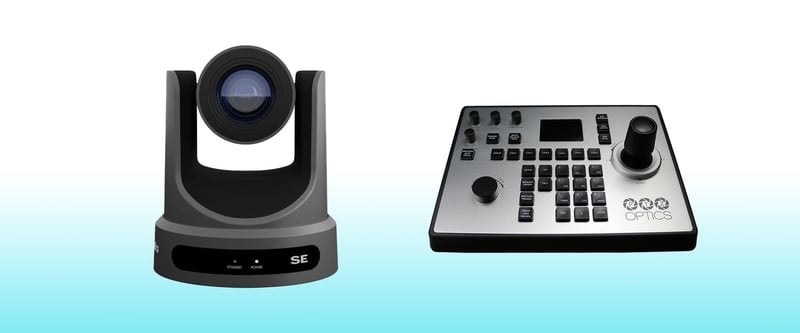
                          PTZOptics Move SE and Joystick Controller

                          Our Recommendation:

                          PTZOptics Move SE Paired with the PTZOptics Joystick Controller

                          Price:

                          $1,848 ($1,199 Camera + $649 Controller)

                          Pros:

                          • Zoom – The built-in 30x optical zoom lens on the Move SE allows you to zoom in close to subjects when your camera position is in the back of a room.
                          • Auto Tracking – For situations where you don’t have a staff member or volunteer to control the camera, the Move SE has built-in auto tracking, which automatically tracks the movements of your pastor or people onstage.
                          • Presets – You can program up to 255 different presets on the Move SE using the Joystick Controller, so you can quickly jump to different camera angles with the click of a button.
                          • Outputs – The Move SE gives you plenty of output options to easily fit into almost any A/V workflow. You can send a live feed to a switcher or encoder via HDMI or SDI, stream over IP, or connect it to a computer via USB-C.

                          Cons:

                          • Recording – Unlike the other cameras in this post, there’s not an easy way to record directly onto this camera. Consider using a video switcher with ISO recording options if you want to record this camera angle locally.
                          • Versatility + Mobility – This camera serves specifically for live streaming purposes in your church — you won’t be able to easily produce other video content with it.


                          Final Thoughts + Further Reading

                          Whether you're just starting out or looking to upgrade your streaming setup, investing in one of these best-in-class church live streaming cameras for beginners can help you take your live church services to the next level.

                          It’s not just your camera that matters for great live streams. Lighting, audio, volunteer staff, and the live streaming service you’re using are all components that factor into the quality of your broadcasts.

                          Pro Tip: If you’re making upgrades to your workflow, consider an affordable HEVC hardware live streaming encoder like Spark to bring your best broadcasts to light. 

                          Here's some further reading you might find helpful:

                          Happy streaming!
