



|
BoxCast Streaming BoxCast Flow BoxCast Spark Broadcaster App BoxCast Producer Third-Party Encoders |

|
BoxCast RemoteMix Compatible Mixers Mixing Station Works with BoxCast RemoteMix |

|
BoxCast OTT Apps |
|
|
BoxCast Streaming BoxCast Flow BoxCast Spark Broadcaster App BoxCast Producer Third-Party Encoders |
|
|
BoxCast RemoteMix Compatible Mixers Mixing Station Works with BoxCast RemoteMix |
|
|
BoxCast OTT Apps |
Broadcasting, Compare BoxCast, How To Live Stream, Sermon Sharing
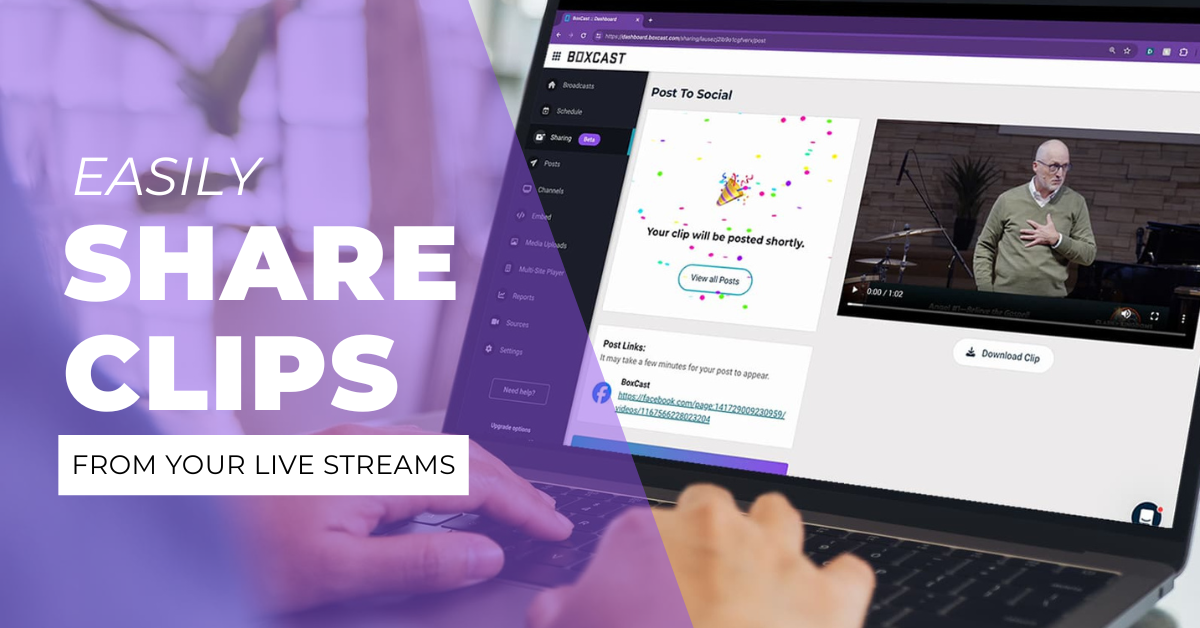
Whether you’ve been live streaming for years or just recently started, you probably have the basics down — scheduling events, uploading graphics, adding descriptions, and producing great-looking multi-cam streams. If that’s your workflow, you’re already ahead of the game.
But here’s the thing: if your process feels dialed in, you just might be overlooking a number of newer features that could broaden your stream’s impact even further. One of these hidden gems is a tool called Sharing—and it could be a total game changer for your organization.

A New Compliment to Your Live Broadcasts
Sharing Specifics
The Best Part
Final Thoughts
Let’s face it — you probably wouldn’t click on this blog if you saw it would take 45 minutes to read.
That’s because so much of how we spend our time comes down to expectations.
Longform online content is still tremendously engaging — as the average household watches three hours a day on streaming apps. Live content can be even more captivating, especially when fans tune in to watch their favorite speakers or teams in real time.
But — and I know this might sound a bit unexpected from someone in live streaming — shortform video content also has an important place in today’s world. TikTok launched in 2016, Instagram Reels in 2020, and YouTube Shorts in 2021 — all designed to capture viewers in moments, not marathons. And here’s the thing: it worked. Many people today expect quick, bite-sized content alongside longer full-event experiences, depending on the mood and space that they’re in.
So if you’re live streaming, you’re already creating amazing value. But you might not realize just how easy it is to repurpose key moments from your broadcasts into short video highlights. And with BoxCast, turning your live streams into consistent, engaging shortform content is surprisingly simple.
“I don’t want to learn video editing software, and I definitely don’t have hours each week to create highlight clips and post them to social media.”
Sound familiar? You’re not alone — and that’s exactly why we built Sharing. It’s designed to deliver powerful results with minimal effort or expertise. Here’s how easy it is to make it part of your workflow:
In short, Sharing is designed to be — well, short and sweet. It was built with direct input from real-life live streamers who told us exactly what they needed: a simple, fast way to create and distribute high-quality shortform content without a ton of extra work.
Let’s say your live events usually happen on weekends — sometime between Friday night and Sunday afternoon. A lot of life happens in the days that follow. Your content is top of mind for your viewers during the event itself, but a few hours (or even minutes) later, life moves on.
If your goal is to keep your community meaningfully engaged consistently throughout the week, the one-two punch of live streaming and Sharing is the perfect combo. Keep running your live stream workflow just like you always have — then sprinkle in highlights from your most recent event during the 5 or 6 days in between.
This gives your audience an easy way to revisit powerful moments they just experienced — or catch up on what they missed. Whether it’s a key message, a highlight reel, or a special performance, Sharing helps your content stay relevant and impactful all week long.
Because at the end of the day, streaming and Sharing are both about reaching people. And that’s what it’s all about. Complicated workflows and hours of editing time just aren’t realistic for most teams. But Sharing gives you a simple way to multiply your content’s reach in minutes — and your community gets even more value from the moments you work so hard to create.
You pour time and energy into creating meaningful live broadcasts — why let the momentum stop there? With a tool like Sharing, you don’t have to choose between quality and consistency, or between live and short form content. You can have both.
Keep streaming like you always do. Then, with just a few extra minutes, turn your best moments into content that continues the conversation, deepens connections, and expands your reach.
Sharing just might be the best live streaming feature that you’d never heard of.


