



|
BoxCast Streaming BoxCast Flow BoxCast Spark Broadcaster App BoxCast Producer Third-Party Encoders |

|
BoxCast RemoteMix Compatible Mixers Mixing Station Works with BoxCast RemoteMix |

|
BoxCast OTT Apps |
|
|
BoxCast Streaming BoxCast Flow BoxCast Spark Broadcaster App BoxCast Producer Third-Party Encoders |
|
|
BoxCast RemoteMix Compatible Mixers Mixing Station Works with BoxCast RemoteMix |
|
|
BoxCast OTT Apps |
Our world has been captivated by streaming for years, and it doesn’t look like that’s changing anytime soon. As streaming has grown, it’s introduced plenty of new terms into our everyday vocabulary. Some are obvious to understand, while others are a little fuzzier.
For example, most people know what a streaming service is. Netflix, Disney+, and whatever HBO decides to regularly rename itself as usually come to mind. But what about the term “streaming site”?
At first glance, a streaming site might sound like just another way to describe a major content platform. But for live broadcasters, the meaning is very different. A streaming site isn’t built for binge watching popular television. It’s built for organizations, creators, and teams that need a dedicated place to host and distribute their own live streams to their target audience.
In this blog, we’ll break down the ins and outs of what a streaming site actually is, how it’s used by live broadcasters, and the different options available today. We’ll also walk through how to set up your own streaming site quickly, whether you’re just getting started or looking to level up an existing workflow to share your content with the world.
Choosing the Right Streaming Site for Your Audience
Two Common Ways to Set Up a Streaming Site
Final Thoughts
Every online audience is different. Some people live on their phones. Others primarily browse from a laptop in the evening. Many bounce between devices based on an unpredictable daily routine. Because of these differences, not every streaming site will be equally effective for your audience based on the makeup of your likely viewers.
Below, we’ll walk through four of the most common types of streaming sites to consider when deciding where your live content should live and how viewers will access it.
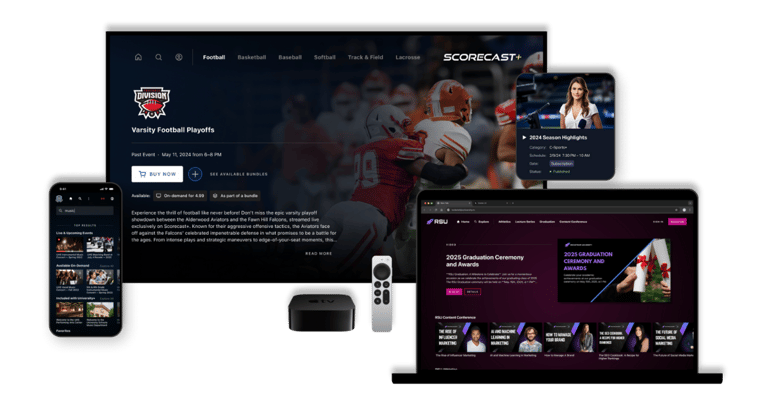
This one is fairly obvious, but it’s often the most powerful option. If you already have a website that’s easy for your audience to remember and navigate to, it’s one of the best streaming sites you can use to host and organize your live streams.
In most cases, adding a stream to your site is as simple as copying and pasting an embed code. This allows you to place a video player directly on a page and make it viewable on any device. Some basic solutions only allow a single event embed, but more advanced platforms support customizable layouts for upcoming events, past streams, content channels, branding, and more.
If you have a mobile app, or access to one through a close partner, embedding your streams inside an app can be a strong option for some. In these cases, you’ll typically use an HLS or M3U8 link rather than a traditional embed code, but the workflow is similar.
Because mobile apps are designed for smaller screens, placement matters. Your stream should be easy to find and large enough to watch comfortably, without overwhelming the rest of the interface or making navigation feel clunky.
For many organizations, social platforms are also valuable streaming sites. Facebook, YouTube, and Twitch are common destinations, but platforms like Instagram and LinkedIn can make sense as well, depending on who your audience is and how they engage with long form content.
Social streaming trades control for reach. You gain access to built in traffic and discovery, but you give up ownership of the viewing experience, viewer relationship, and the amount of competing content present. For some broadcasters, that trade off is worth it, though.
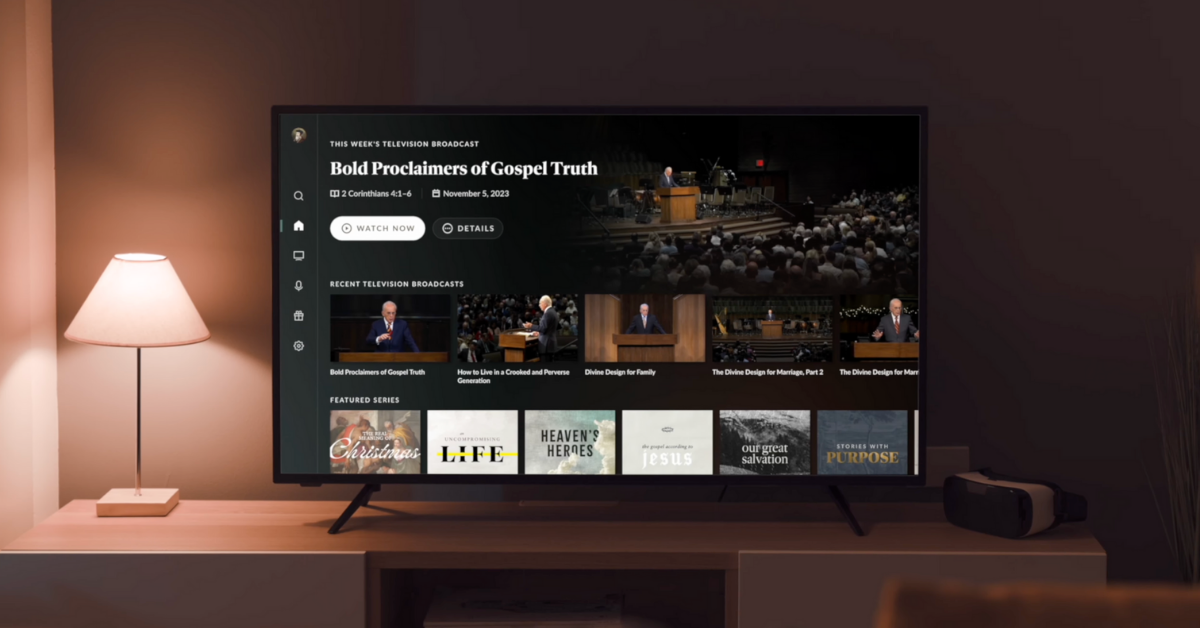
OTT stands for “over the top,” a term used to describe services that deliver content over the internet instead of traditional distribution methods like cable or satellite. Netflix, Disney+, and similar platforms are all technically OTT apps, even if most viewers never think of them that way.
You probably don’t want to build an OTT app from scratch. The good news is that there are providers who can package your live and on demand content into a polished OTT experience that works on phones, tablets, and smart TVs. This gives your audience a familiar, high end way to watch your streams without massive development effort. More on the “how-to” of this later.
One of the most important concepts in streaming is simulcasting. Simulcasting allows you to send a single broadcast to multiple streaming sites at the same time, without adding complexity to your setup.
There’s rarely a reason to choose just one destination. With the right streaming provider, you can publish to your website, social platforms, mobile apps, and OTT apps simultaneously, meeting your audience wherever they prefer to watch.
There are several ways to create a streaming site for your online content. Below, we’ll highlight the two most common approaches, since most streaming strategies tend to fall into one of these camps. Neither option is the right answer for everyone, but one will usually be a better fit depending on your goals, audience, and how much control you want over the viewing experience.
Starting a YouTube channel is relatively easy for just about anyone. Some creators do it extremely well, while others experiment occasionally and build a small audience, if any at all. Because of this low barrier to entry, social platforms are often the fastest way to get a streaming site up and running.
That convenience comes with trade offs. Competition is high, support is limited, and feature sets are often restricted compared to more professional streaming solutions. While you can embed a YouTube player on your website, doing so also introduces additional content and distractions on your site that you won’t fully control like ads, pop ups, and "suggested content” that may show videos that don’t belong to your channel.
For organizations that want to simulcast professional content across multiple streaming sites, such as a website, mobile app, OTT app, and social platforms, a professional streaming provider is often a better fit.
These platforms typically include onboarding, training, and built in tools to distribute your stream to multiple destinations at once. Many providers support delivery to websites, social platforms, and mobile apps out of the box. In some cases, they can also help you launch a branded OTT app, giving your audience a more polished and consistent viewing experience across devices.
At BoxCast, we care deeply about making sure your live video and audio look and sound great every time you go live. Beyond that, we’ve built a feature rich platform that makes it easy to simulcast to multiple streaming sites through a simple, user friendly workflow. We also offer a code free website builder and OTT app solutions for organizations that want to distribute their content as widely as possible and give their audience more ways to watch.
If you’d like, we’re happy to hop on a quick call to learn more about your streaming goals, answer any questions you have, and walk through how BoxCast can help you set up and stream to a variety of streaming sites without added complexity or overhead. Just follow the CTA below and we’ll be in touch soon.