



|
BoxCast Streaming BoxCast Flow BoxCast Spark Broadcaster App BoxCast Producer Third-Party Encoders |

|
BoxCast RemoteMix Compatible Mixers Mixing Station Works with BoxCast RemoteMix |

|
BoxCast OTT Apps |
|
|
BoxCast Streaming BoxCast Flow BoxCast Spark Broadcaster App BoxCast Producer Third-Party Encoders |
|
|
BoxCast RemoteMix Compatible Mixers Mixing Station Works with BoxCast RemoteMix |
|
|
BoxCast OTT Apps |
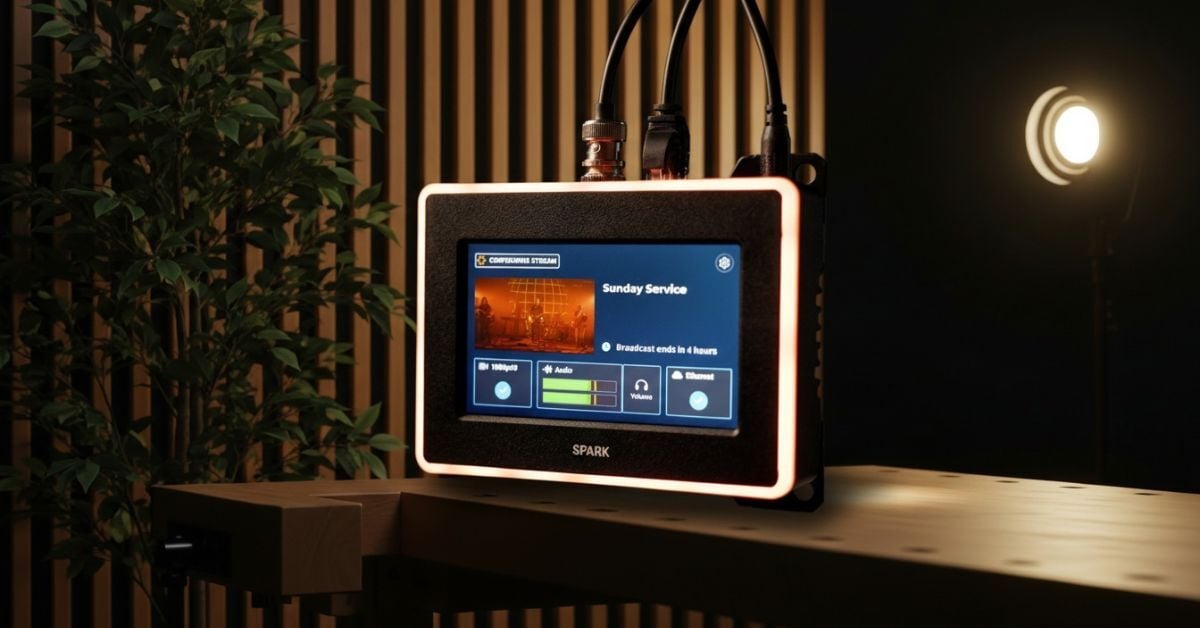
So you’re looking to buy streaming encoder hardware in 2026. With so many encoders on the market, where do you even start? It’s not like buying a new smartphone, where most people stick to one brand, or maybe two at most for consideration. Choosing an encoder for streaming is more complicated because manufacturers approach hardware design in very different ways, each with its own tradeoffs.
If this sounds befuddling, you’re not alone, and you’re in the right place. While there’s no shortage of specs, features, and price points to sort through, the good news is that the decision doesn’t have to be overwhelming if you know the most important things to look for. To help you out, we’ve narrowed everything down into a simple and short checklist that focuses on what actually matters when buying a new encoder.
So without further ado, here are the top seven things your streaming encoder needs in 2026.
7: Advanced Compression + Protocol Capability
6: High Frame Rate Configuration
5: Correct + Future Proof Input
4: Internet Connectivity Flexibility
3: Real Person Support
2: Distance Confidence Monitoring
1: Advanced Touchscreen Configuration
Final Thoughts
Before we jump in, I should note that these are ranked from least to most important. This automatically makes the order a little subjective. I’ve personally spent over a decade working in streaming and have talked with thousands of live streamers along the way. While I won’t pretend that my list is infallible, I feel pretty good about the ordering overall. You might disagree on an item or two, and that’s totally okay.
When evaluating streaming encoders, modern compression support matters more than ever due to the heavy lift of moving HD data in real time. Your encoder should be configurable to use HEVC, VVC, or AV1, which were designed to deliver clean, efficient 1080p HD live video without wasting bandwidth. Protocol support matters just as much. Legacy options like RTMP or RTSP simply don’t hold up under real world network conditions. Look for support for SRT or advanced custom protocols like BoxCast Flow that are designed to keep streams stable even when the network isn’t perfect.
Some broadcasters still treat 60fps as a non-essential nice-to-have, but that assumption can come back to bite you. Sports, live music, and fast paced events benefit enormously from higher frame rates. Before buying an encoder for streaming, take a close look at the tech specs and confirm high framerate configuration is supported. Even if you don’t think you need it today, there’s a very good chance you will down the road.
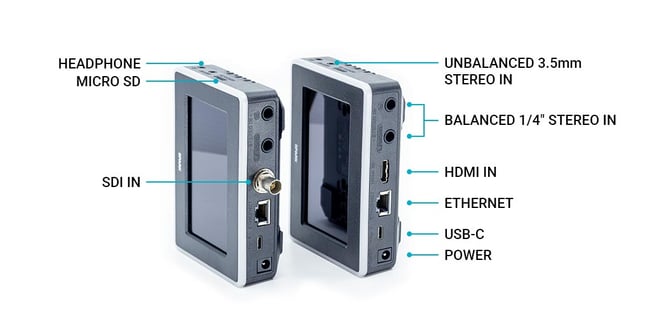
Your current setup might rely on HDMI equipment, and that’s perfectly fine. But if you plan to upgrade cameras or switchers in the future, SDI support becomes important quickly. Audio inputs deserve the same level of attention. Flexibility between quarter inch and 3.5 millimeter inputs helps ensure your encoder can adapt as your audio workflow evolves.
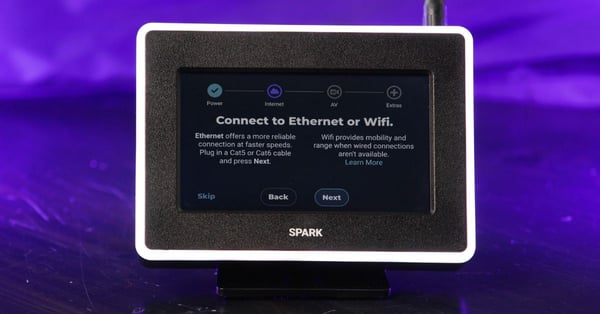
Yes, a hardwired connection is usually the best option for live streaming. Still, having additional connectivity options is incredibly valuable. WiFi can act as a backup if a wired connection fails mid event. Some venues only offer WiFi access. In a few cases, WiFi may even outperform the available hardline connection. A flexible encoder gives you options in each circumstance, allowing you to adapt for what’s best, or what’s actually available.
This one surprises people, but it shouldn’t. If you’re highly technical, you might think support for a streaming encoder doesn’t matter. If you’re newer to streaming, it matters a lot. Having a real person you can contact during setup or when something goes wrong can make all the difference. I’ve used plenty of encoders where troubleshooting meant staring at a dense user manual while the clock ticked down. That’s a frustrating experience that can be avoided with a helpful guide to help you get everything configured correctly.
This is one of the most overlooked features in streaming encoders. Many devices either don’t offer it or do it poorly. Imagine being able to glance across the room towards your encoder and instantly know whether your stream is healthy or needs attention. Visual indicators like large LED status lights are invaluable when you’re juggling multiple responsibilities during a live event. It’s a genuine lifesaver and something every streamer should have.
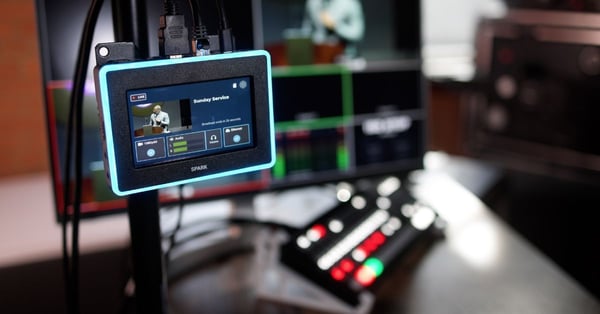
It’s not 2008 anymore. Touchscreens are everywhere, from phones to cars to refrigerators. Your streaming encoder shouldn’t feel stuck in the past. Encoders with touchscreen interfaces let you go beyond monitoring your stream and actually make adjustments related to audio, video, and network settings directly on the device. In a world filled with smart technology, modern streaming encoders should offer smart, intuitive configuration to match.
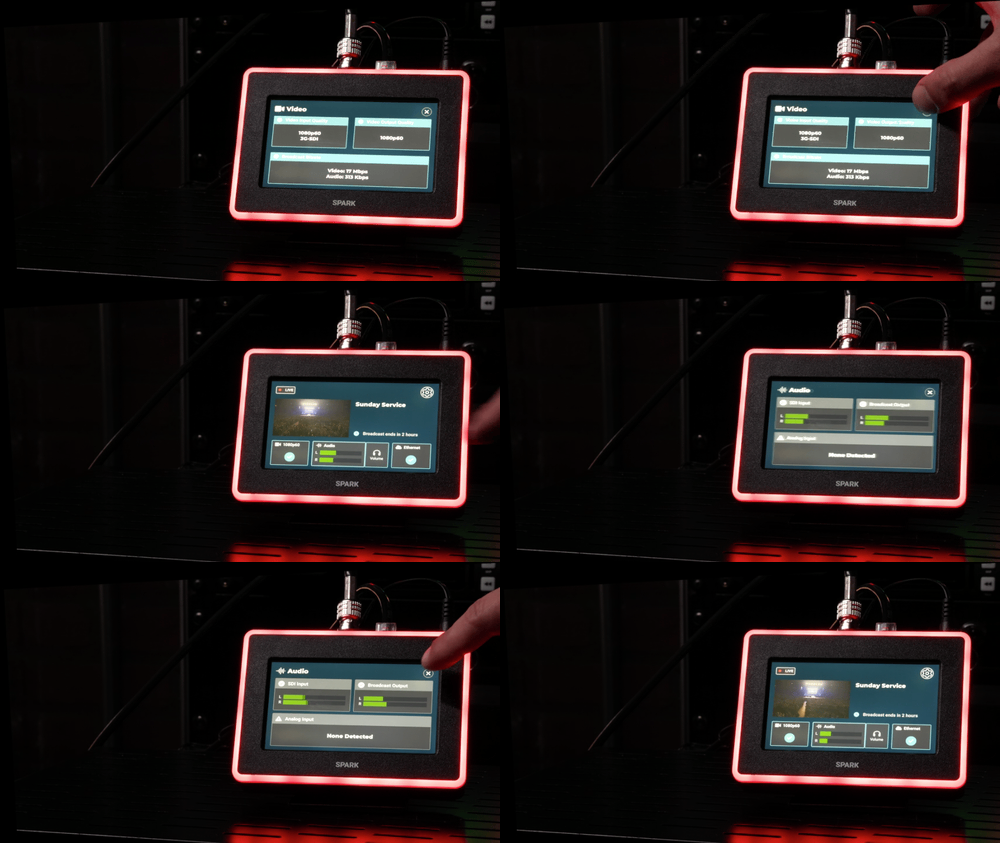
Here at BoxCast, we’ve spent our time helping tens of thousands of organizations live stream since launching in 2013. A big reason we’ve been able to do that is our custom live streaming hardware, which we’ve designed, tested, and iterated on again and again. The best part is that our encoders have always been built from real world user feedback, not a spec sheet wishlist. We don’t just aim to check the obvious boxes. We focus on refining every detail to help broadcasters succeed when it matters most, and even give them features that make streaming more fun.
When you stack our top seven must haves for streaming encoders in 2026 against what’s available today, Spark checks every box. Our newest encoder includes HEVC compression, BoxCast Flow streaming protocol, HDMI and SDI video inputs, quarter inch and 3.5 millimeter audio inputs, flexible internet connectivity options, real person onboarding and support, LED confidence monitoring, and advanced touchscreen controls, plus a whole lot more.
We’ve also worked hard to make Spark one of the most accessible options on the market, so organizations don’t have to overspend to get a modern, reliable streaming encoder. You shouldn’t have to spend upwards of $5,000 just to live stream well. Now, plenty of devices can meet some of the criteria on this list, and we encourage you to compare them through your own research. If you want to take a deeper look at how Spark brings all seven together in one place, though, you can explore it through the link below.


