

|
BoxCast Streaming BoxCast Flow BoxCast Spark Broadcaster App BoxCast Producer Third-Party Encoders |
|
BoxCast RemoteMix Compatible Mixers Mixing Station Works with BoxCast RemoteMix |
|
BoxCast OTT Apps |
INDUSTRIES
House of Worship
Reach and engage your congregation wherever they worship
Sports
Stream games with professional quality for fans everywhere
Business
Power your corporate events, webinars, and live streams
Local Government
Bring transparency and connection to your community broadcasts
Education
Connect students, families, and alumni to every campus moment
Special Districts
Stream and caption meetings and events for districts of any size
LEARN
Blog
Insights, trends, and tips for the audio/video community
Tech Tips
Quick how-tos and deep dives on the latest streaming technology
Guides
Essential tips and expert strategies to expand your reach
Newsletter
Stay up to date with product news, best practices, and more
Podcast
Hear stories and strategies from our customers and experts
DISCOVER
Customer Stories
Explore real-world success stories to inspire your organization
Webinars
Get all the details and register for our next live webinar
Events
Join us at an upcoming conference and meet with our team
BoxCast Team • June 3, 2021
If you're new to live streaming, you may not know what kind of setup you need to get started. Don't worry — this handy guide should help point you in the right direction.
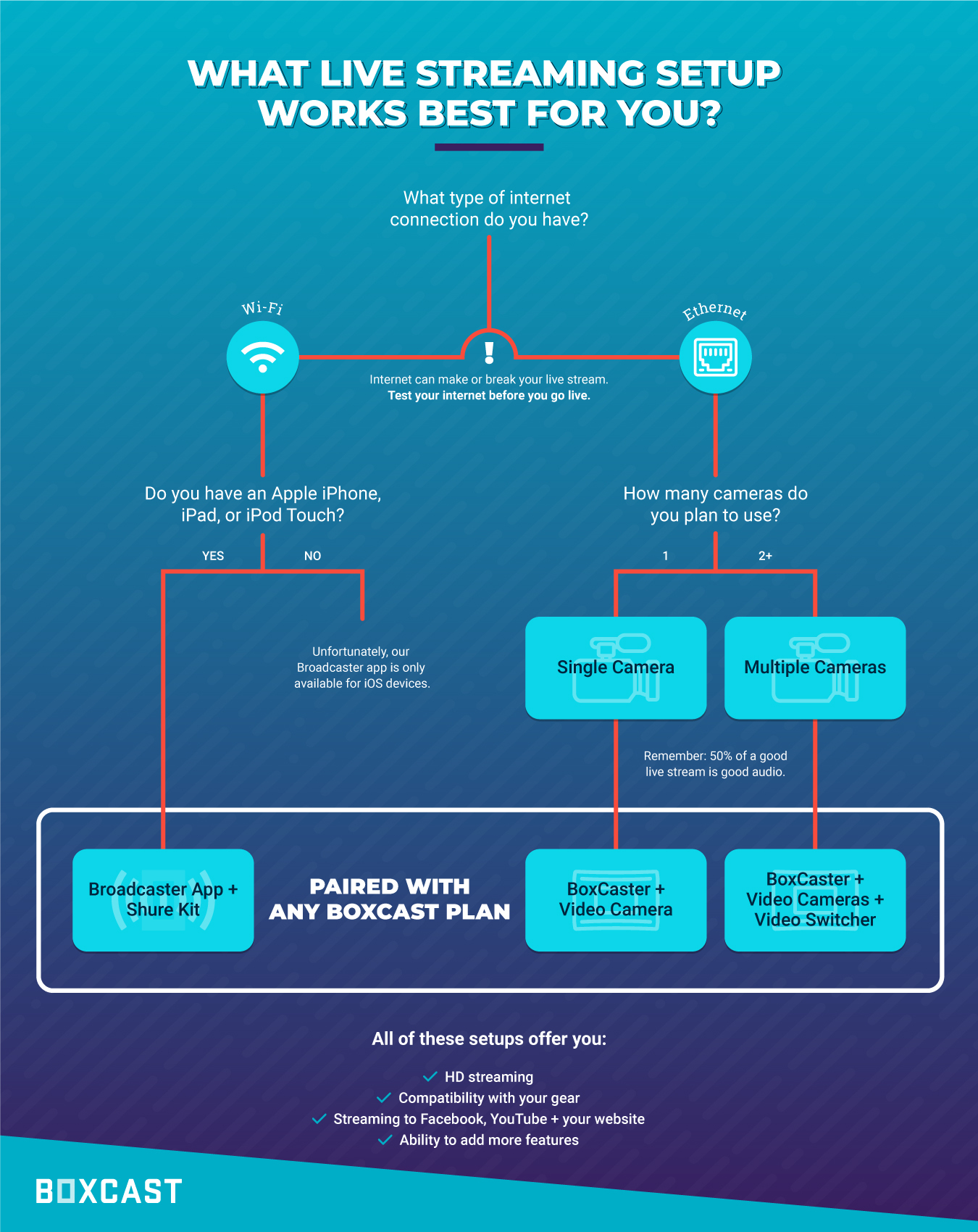
If you're still unsure about which streaming setup works best for you, the video below dives a little deeper into the two main options presented above, along with some tips and tricks for live streaming:
© 2026 BoxCast. All Rights Reserved. | +1-888-392-2278
