



|
BoxCast Streaming BoxCast Flow BoxCast Spark Broadcaster App BoxCast Producer Third-Party Encoders |

|
BoxCast RemoteMix Compatible Mixers Mixing Station Works with BoxCast RemoteMix |

|
BoxCast OTT Apps |
|
|
BoxCast Streaming BoxCast Flow BoxCast Spark Broadcaster App BoxCast Producer Third-Party Encoders |
|
|
BoxCast RemoteMix Compatible Mixers Mixing Station Works with BoxCast RemoteMix |
|
|
BoxCast OTT Apps |
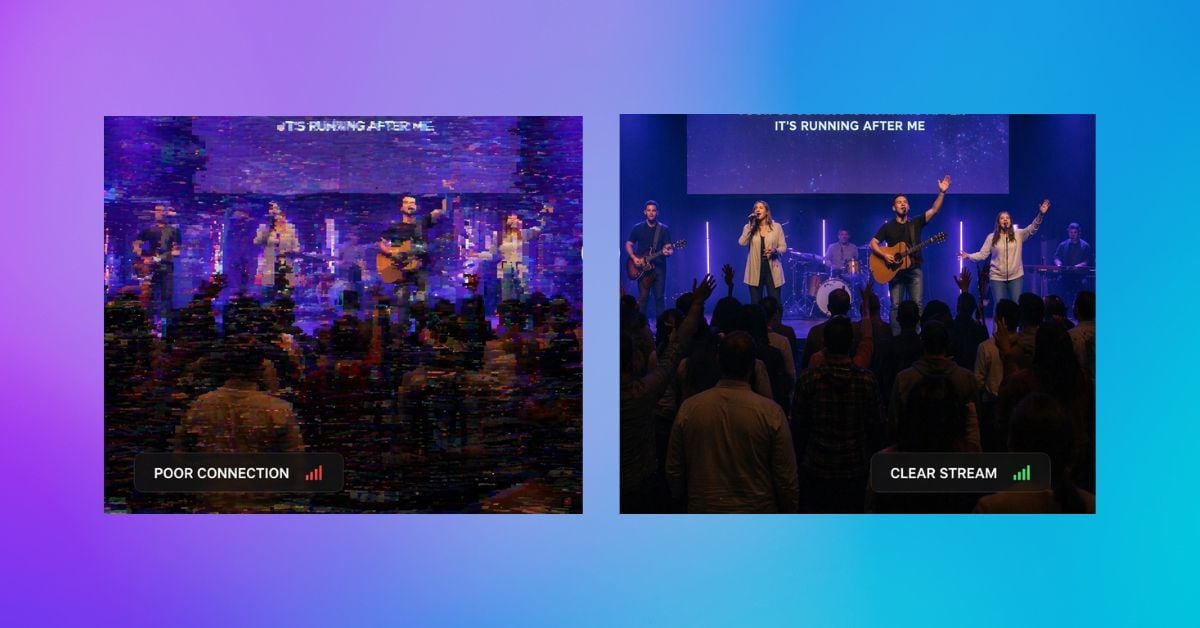
Live events are awesome to take part in.
You mark them on your calendar. You’ll travel hours to be there. The countdown moves from weeks, to days, to minutes. And then it starts.
That’s the in-person experience.
But today, it’s not always realistic to attend everything you want in person. That’s where live streaming has become a staple in our culture. You can experience the same event from your home, or wherever you happen to be.
The anticipation still builds. You’re just minutes away from clicking play and jumping into the moment in real time, and you’re likely equally as pumped if it’s an event or organization that you’re authentically interested in.
The only problem is, when an event is streaming, things can go wrong. And more often than not, it comes down to one issue.
Packet loss.
If you’re a viewer, there’s not much you can do about it. It usually starts at the source, where the broadcast is coming from.
So in this post, we’ll break down what packet loss is, why it happens in 2026, and how to fix it so your viewers actually get the experience they showed up for.
What is Packet Loss?
Optimizing Your Network
Optimizing Your Encoder
Optimizing Your Protocol
Advanced Optimization
Final Thoughts
Most people know what pixels are because of photography and TV shopping. The idea is pretty straightforward. Tiny pixels make up an image, and the more pixels you have, the finer the detail. That’s why when 1080p came out, everyone wanted to upgrade their TVs, and the same thing happened with 4K.
Live video streaming still deals with resolution and pixels, but it doesn’t actually stream pixels.
It streams packets.
Packets are similar to pixels in some ways, but very different in others.
A packet is a small unit of data that can contain video or audio. When you stream or download video, the entire file is broken down into thousands of packets.
Each packet has a header that works like an envelope. It includes the destination IP address and information about where that packet fits within the overall stream. These packets can take different network paths to get to the same destination, and once they arrive, they’re reassembled in the correct order on the viewer’s device.
When everything works perfectly, all packets arrive on time and in order. The result is a smooth, high-quality playback experience.
But when packets are lost, random chunks of video and audio are missing.

A small amount of packet loss might not be noticeable. But higher packet loss leads to buffering, artifacting, and audio issues that quickly make the viewer’s experience unbearable.
That’s why packet loss is such a problem. Your stream goes from order to chaos, and your viewers often feel it immediately.
They were excited for days. They click play. And within minutes, they’re frustrated enough to turn it off.
So now that we’ve covered what packet loss is (and why it’s the worst), let’s walk through how to actually fix it at the source if you’re a broadcaster.
Your network isn’t the only factor impacting packet loss, but it’s a big one.
Upload speed plays a huge role in whether or not packets get lost.
If you move from 1080p to 4K, you’re sending significantly more data. The same is true if you move from 30fps to 60fps. You’re effectively doubling the amount of video that needs to be transmitted.
If your network can handle it, great. If it can’t, packets will start dropping.
This is where a lot of streams fall apart. You invest in great cameras and aim for 4K60 quality, but your network can’t consistently sustain it, so your quality actually gets worse, not better.
It’s worth running a speed test regularly at your streaming location to make sure you’re getting the upload speeds you expect.
As a general guideline:
More importantly, beyond these benchmarks, you’ll likely need a bit of extra buffer above those numbers because networks often fluctuate up and down mid event.
So even if your connection looks good on paper, network hiccups happen. You want enough headroom so that a temporary dip doesn’t immediately cause packet loss.
No matter how you stream, you’re using an encoder.
That could be software or hardware, but the goal is the same. Take massive raw video and audio data and compress it into something that can actually be sent over the internet in real time.
Without compression, streaming wouldn’t be possible.
Most encoders use standardized compression formats (codecs), and this is where things can either help or hurt you.
For example:
The key idea related to packet loss is this:
If you’re streaming high-quality video using a codec that isn’t optimized for it, you’re increasing your chances of packet loss because it wasn’t designed to keep up to such a high volume of data.
On the flip side, if your encoder supports a more efficient codec that matches your resolution and frame rate, you’re actually proactively setting yourself for a much better chance of successful ongoing packet delivery.
After encoding, your stream still needs to be delivered.
This involves two main stages:
At a high level, this all runs through a streaming protocol.
Protocols package your data and define how it’s sent across the internet.
Two of the most common approaches are found in RTMP and SRT:
RTMP (TCP-based)
RTMP relies on TCP, which ensures every packet arrives in order. If something is missing, it gets retransmitted. The upside is accuracy, but the downside is buffering, as your stream will effectively wait until everything is perfect until it continues. The only problem with this approach is that if you have sustained packet loss, your viewers will consistently see the “spinning wheel of death” throughout the stream, which nobody wants, and will likely cause your viewers to abandon your broadcast.
SRT (UDP-based)
SRT uses UDP, which prioritizes speed over perfection. It keeps the stream moving even if packets are lost. The upside is less buffering, with the downside being reduced quality when packets go missing. Audio could cut out for a few seconds, or video can periodically appear frozen or patchy. If packet loss is high, this once again will make your broadcast unwatchable and cause your viewers to leave.
Overall, with a lot of protocols, you end up with an imperfect tradeoff either way:
This isn’t really a great choice either way. And that’s why we’ve designed a custom protocol at BoxCast to better handle missing packets, and help your broadcasts navigate rough patches while still delivering an optimal experience to your viewers.
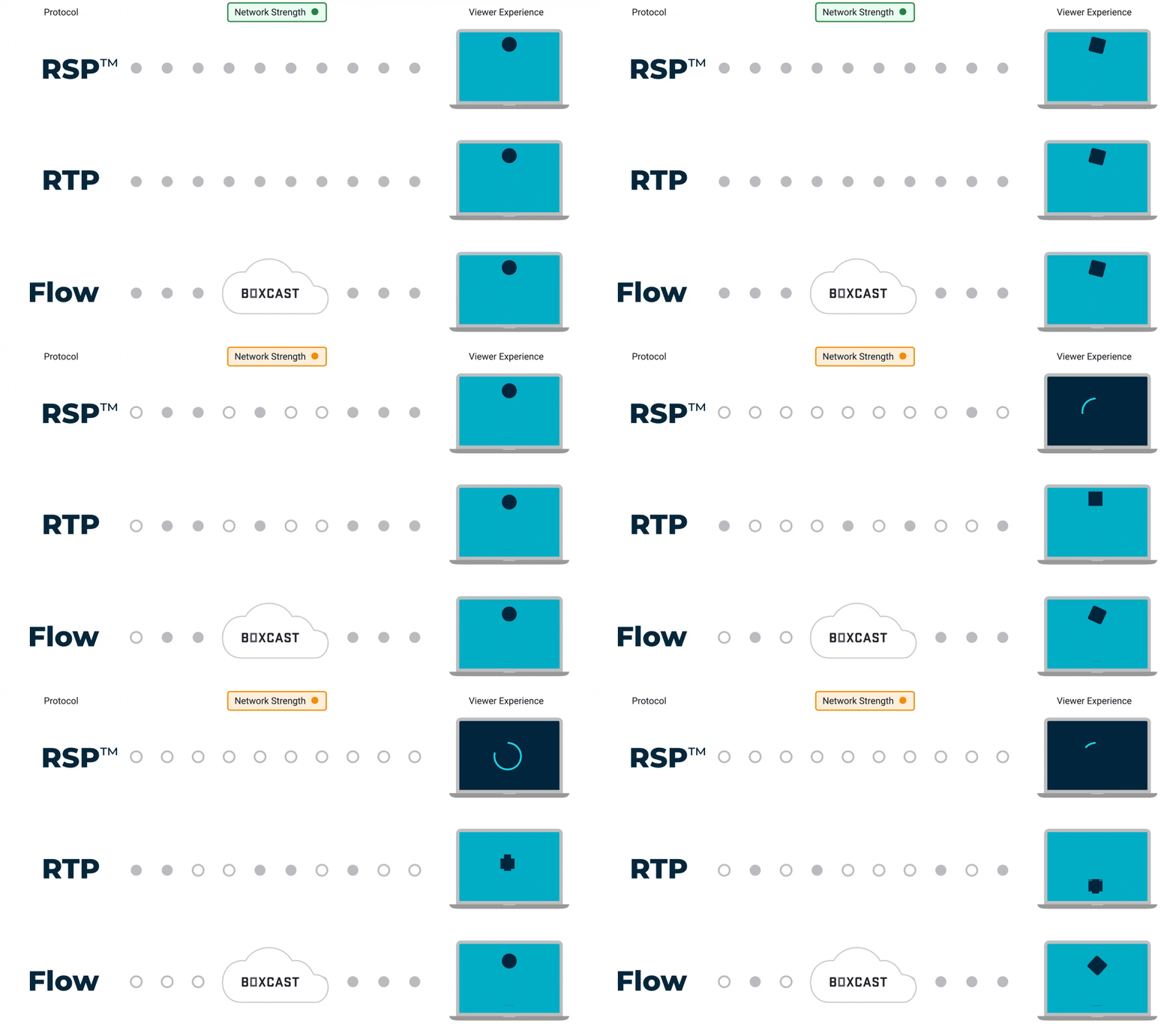
Many streaming protocols are set in stone in how they’re constructed. Others, though, include more advanced configuration, intentionally designed to limit packet loss and output better quality streams, even on inconsistent networks.
In 2015, we launched BoxCast Flow, and we’ve added advanced configurable options to it over time. Here are a few advanced aspects of this protocol that help reduce packet loss and deliver a better viewing experience for your streams in 2026 and beyond.
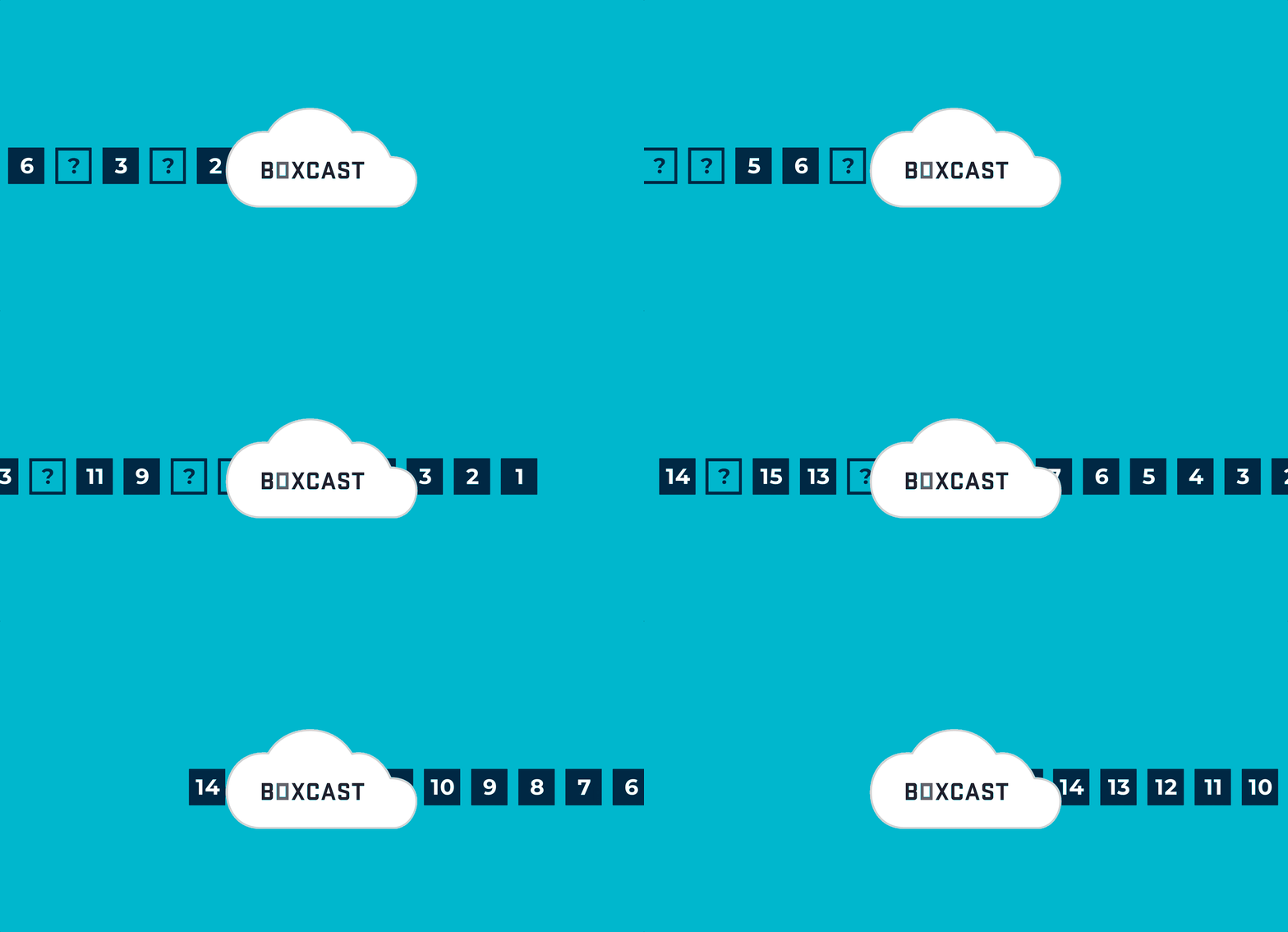
Before packets are lost, BoxCast Flow preemptively sends additional packets, specifically ones that are more likely to be lost (based on decades of streaming data across thousands of clients).
This means that if some packets do go missing, they’ve already been sent redundantly. There’s no need to retransmit, and your video quality remains intact.
Let’s say you’re streaming at 1080p60, and your network suddenly dips.
Normally, this would lead to packet loss, since your connection can no longer support that bitrate.
BoxCast Flow detects this immediately and adjusts your stream quality to match your available bandwidth.
For example, your stream might temporarily drop to 720p30 for a few minutes. Your network can now handle the load, so instead of buffering or artifacting, your viewers only see a very slight dip in quality.
Once your network stabilizes, the stream scales back up to 1080p60 automatically.

Rather than committing fully to either UDP or TCP, Flow uses a hybrid approach.
This keeps the stream moving forward while still recovering lost packets when needed, reducing both buffering and visual artifacts.
If you’re broadcasting from a location where you expect network instability, BoxCast Flow allows you to increase latency to give your stream more time to recover lost packets.
Standard latency is around 2 seconds, but you can increase this to 15 seconds or even up to 90 seconds.
This added buffer gives your stream more resilience when conditions aren’t ideal.
Finally, BoxCast Flow reduces packet loss by offloading transcoding to the cloud.
Instead of sending multiple renditions (240p, 480p, 720p, 1080p) from your location, you only send a single high-quality stream.
Once it reaches the cloud, additional renditions are created at the server level.
This significantly reduces the load on your network and lowers the likelihood of packet loss at the source.
I grew up playing golf, and though I sometimes enjoyed it, the game often frustrated me because of what I personally call the “simultaneous seven.”
During my swing, I found I had to:
Position my feet
Bend my knees
Rotate my hips and torso
Keep my lead arm straight
Grip my club correctly
Maintain a smooth cadence
Strike the ball downward without looking up
I found I could do five or six of these perfectly, but miss one or two, which caused the shot to fall apart.
Streaming is a lot like this.
You have to do a lot of things well at the same time. And if you miss in just a few key areas, your stream suffers.
That’s what makes packet loss so tricky.
But with the right setup, and the right platform, you can dramatically improve your chances of getting all of it right and delivering a stream that actually holds up when it matters most.
To learn more about how our platform helps reduce packet loss across all of these areas, click below.


