



|
BoxCast Streaming BoxCast Flow BoxCast Spark Broadcaster App BoxCast Producer Third-Party Encoders |

|
BoxCast RemoteMix Compatible Mixers Mixing Station Works with BoxCast RemoteMix |

|
BoxCast OTT Apps |
|
|
BoxCast Streaming BoxCast Flow BoxCast Spark Broadcaster App BoxCast Producer Third-Party Encoders |
|
|
BoxCast RemoteMix Compatible Mixers Mixing Station Works with BoxCast RemoteMix |
|
|
BoxCast OTT Apps |
Broadcasting, How To Live Stream, Audio
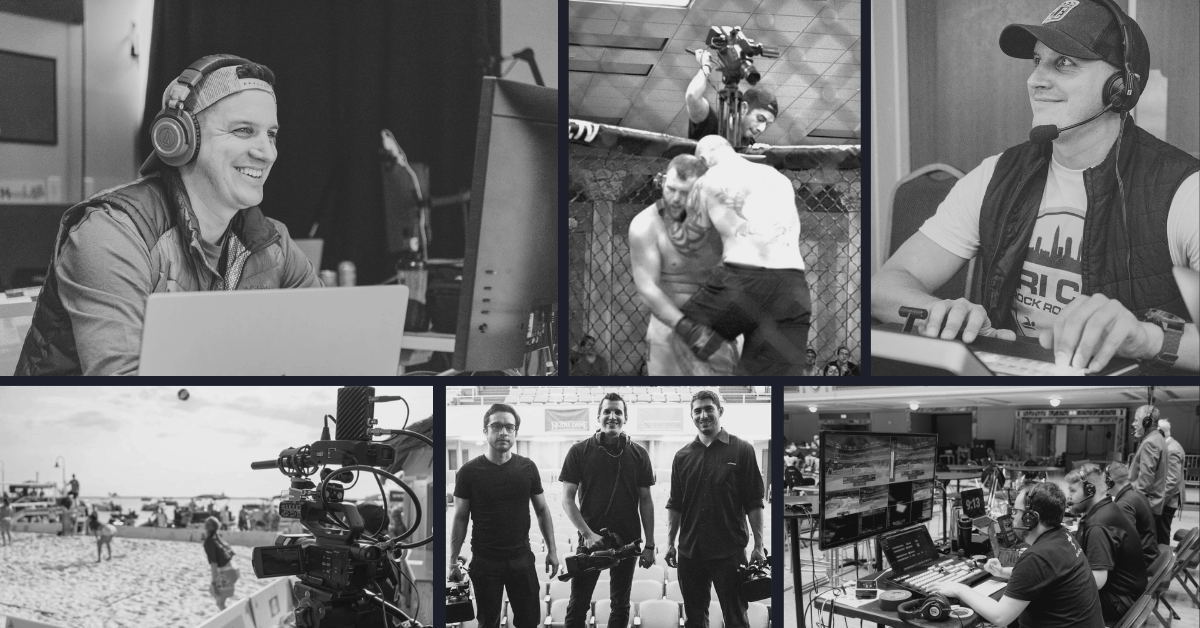
I remember the first live stream where I completely lost the internet … and didn't have a backup plan. In fact, I didn't even have a backup recording! The combination of panic and trying to explain to my client that the problem originated from the venue’s outage was enough to teach me a lesson that I still carry for the rest of my career; always have a backup plan, and then backup that backup plan.
I'm a content creator here at BoxCast, but outside of that role, I'm also a Video Producer running my own company, The Cleveland Video Company. I've spent the last 10 years live streaming events for clients, and over that time the scale of that work has grown significantly. I went from single-camera streams with a shotgun mic as my audio source, to producing live MMA matches, awards shows on cruise ships, pay-per-view concerts, and eventually managing four simultaneous live streams for a weeklong conference.
Over all this time I've come to learn some lessons the easy way, but quite a few more lessons the hard way. Some came from simply not knowing what to expect in the beginning, since I had never worked a certain type of event before. Others came from mistakes I made in front of a client and a live audience, which is not exactly my fondest memory. So with all of this as background, I wish someone had handed me this list when I was starting out, so that’s why I’m writing it now, so you don’t have to learn in a high stakes environment, like I have.
So if you're getting hired to professionally live stream an event, whether it’s your first paid gig or your 20th, here are 7 things worth knowing ahead of time.
1. Your clients don't care about your cameras
2. Audio seriously matters
3. A little lighting goes a long way
4. Back up your backup plan
5. You're probably not charging enough
6. Be ready for mistakes and last-minute changes
7. Think about the viewer
Final Thoughts
Having the coolest, high-end gear will seem to project that you’re a pro to your clients. It has “The Hollywood Effect”, as my business partner and I like to joke, but really what your clients actually care about is whether the stream looks good and their viewers are happy. Their world revolves around their community, whether that's thousands of fans across the country or a small group of virtual attendees.
Managing the client relationship matters just as much as the technical side of things. Clients will remember their personal experience with you far more than which brand of video switcher you used. So try to focus your attention on communication, like pre-event calls, run-of-show documents, being upfront about limitations, and knowing how to handle the presenter who wants to play a video from their iPhone 5 minutes before their presentation starts. Sure there’s nothing wrong with having great gear, just remember that it’s more about the person behind the gear than the gear itself.
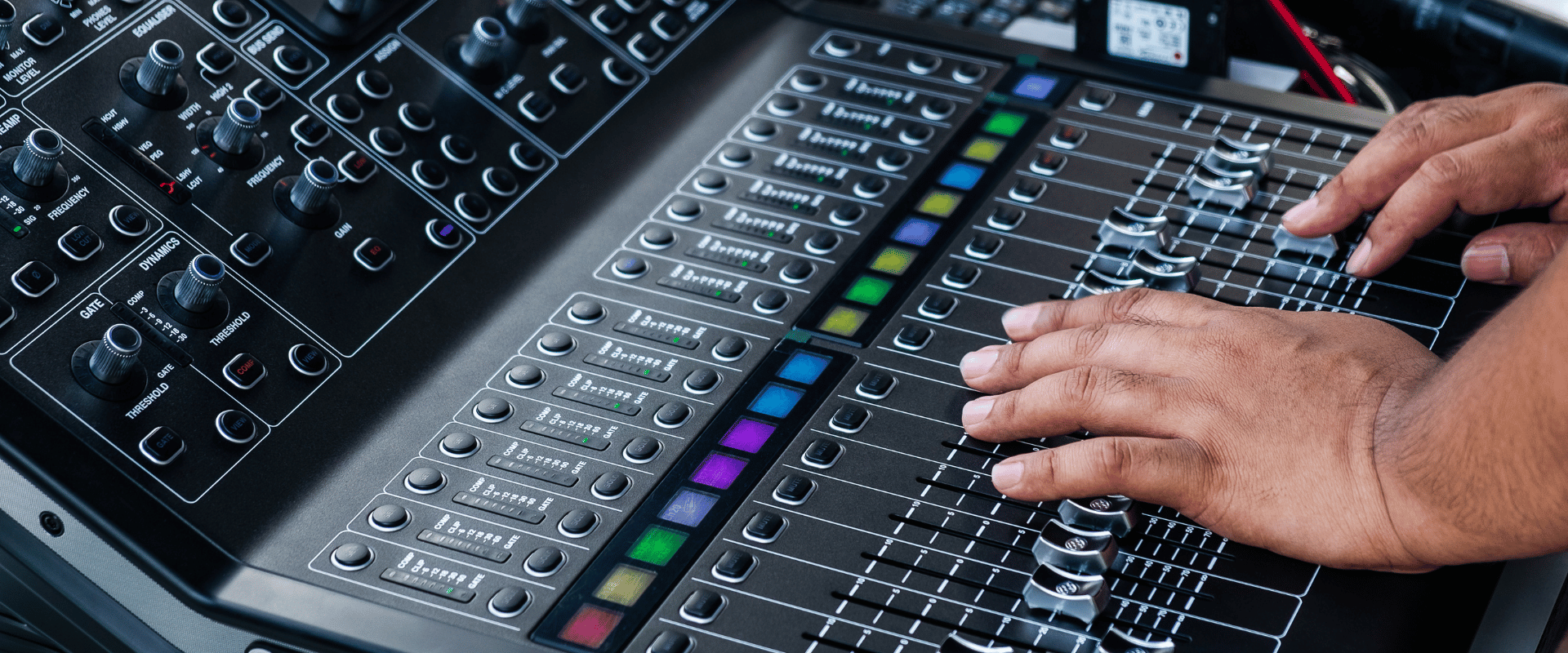
"No sound!" and "can't hear!" are probably the most common complaints I’ve seen in viewer chats. The irony is, I've never had a viewer complain about lighting or camera angles, they just take those for what they are. But bad audio? People will notice immediately, and they likely won’t stay quiet about it.
When you're brought in to stream an event, there's usually no one focused on creating a good mix for the stream. In too many environments, live stream audio is usually an afterthought. At best, you'll get a line-out from an audio tech whose whole job is optimizing sound for the room, not for your viewers at home.
So, figure out ahead of time what audio system you're working with and who's running it. If the event is big enough to have a dedicated stream mix, great. If not, bring a small mixer of your own so you can control your levels independently. This extra effort will almost always massively upgrade the end viewer’s experience.
The same goes for lighting. Venues often build a lighting setup that works fine for the in-person crowd but looks flat or unflattering on camera. Some event companies frequently don't prioritize how your cameras will look, and you may be in situations where there’s no lighting at all. Yeah, as crazy as that sounds, that’s happened to me many times before.
In these situations, it's on you to speak up and have a solution on hand to help improve the live stream lighting, if at all possible. One of the easiest ways to get ahead of this problem is to ask to see a sample from the last event streamed at that venue early on in the client relationship. If the lighting is weak, mention it well before the event, and ask if the venue can help provide a better solution, or build extra lighting equipment into your quote if the fix will wind up being your responsibility. Overall, good lighting is just as essential as the camera you're using to capture your subjects, whether they're on a stage or on a field, so take steps early to ensure that this is accounted for and hitting your overall target of quality will be much more realistic down the line.
I mentioned that first internet outage in the introduction to start this post. That story is the reason why I now treat redundancy as non-negotiable in every client event. That means a backup recording, a backup internet connection, and something in your contracts that protects you when all else fails. Clients can be super forgiving, and they may genuinely value your relationship, but a stream going down will always leave a bad taste in their mouths, no matter how innocent you are in the matter.
One more thing on this subject worth keeping in mind: if you're streaming to YouTube, understand the real risk around copyrighted music or video a client might want to include. This is actually a spot where BoxCast has bailed me out countless times. YouTube might take a stream down in scenarios where they think there’s copyright infringement, but there’s not. BoxCast will never overreact in that manner. This has allowed me to redirect clients and their viewers to a BoxCast.tv link mid-event more than once, and it's made me look prepared and professional instead of just shrugging and blaming YouTube.
I also lean on BoxCast’s hardware streaming encoders for reliability. The advanced streaming protocol BoxCast Flow that is built directly into the Spark has saved me numerous times where the venue’s network is spotty, like on a moving cruise ship in the middle of the ocean! BoxCast Flow can keep your live stream going in situations where your connection isn’t ideal, and this can be the ultimate difference between a continuous stream that your client is satisfied with and a long term stream outage that severs your client relationship forever.
It's pretty exciting when you first start getting paid for production work. So exciting, in fact, that it took me a couple of years to realize I was undervaluing my work. Instead of just a flat price for the end result of a live stream, I should’ve been charging for my understated time and expertise, the value of the equipment I was contributing to the project, and all the extra time it takes to plan, set up, and strike an event.
Now, I always start by establishing a reasonable full-day and half-day rate for myself. In many instances, I build in separate line items for production equipment — not to nickel-and-dime clients over every cable and stand, but because there's real monetary value in the gear you're purchasing, maintaining, and bringing to the event. And yes, it's okay to charge for setup and strike times, remember, they’d be paying someone else for all of these things if they weren’t hiring you.
Rigidity makes you hard to work with. Flexibility, on the other hand, leads to repeat business. Clients don't always understand the intricacies of preparing for a live event, and that's okay because it's not really their expertise and that’s what they’re paying you for. And take it from me, every event is prone to last-minute changes, even when the run-of-show is scheduled down to the minute.
Live events are unpredictable, that’s just a fact of life. The more of them you do, the better you'll get at pivoting on last-minute requests and rolling with the punches, no matter how… unreasonable or unnecessary you might think they are. The manner in which you respond in the moment can be the difference between getting hired for the next event or getting a reputation as difficult to work with.
At the end of the day, your clients care about making their viewers happy. So while you'll spend most of your time and energy on setup and execution, a simple philosophy is: what does the viewer want to see and hear? I jokingly call this "viewer empathy," because no matter what's happening in the room, the person watching at home has a completely different perspective than you do sitting in the production booth.
Your job as a producer is to do your best to make the streaming experience as good as being in the room, and if the budget is there… even better than that. (I still think watching the Super Bowl at home is a better experience than sitting in the nosebleeds.)
A viewer-first mindset should inform almost every production decision you make: like how you position camera angles, when to start intro music, how you display graphics or slides, or where you place crowd mics in the room. Keep the folks at home your main focus, and you’ll find yourself making countless little decisions that will delight them, which is the best way to grow your video production business, bar none.
Hopefully a couple of these tips hit home, and maybe you’ve even experienced a few of them in a similar way that I have! The latest gear and coolest tech will always give clients a first impression of “these guys know what they’re doing”, but what actually builds a successful live streaming and production business is your genuine care for making the stream look and sound good for viewers, paired with clear, healthy communication with the people who hired you. Put these 7 tips into practice, and you’ll probably put me out of business in no time!
Finally, to learn a bit more about the streaming platform I use for all of my events, check out the link below.