



|
BoxCast Streaming BoxCast Flow BoxCast Spark Broadcaster App BoxCast Producer Third-Party Encoders |

|
BoxCast RemoteMix Compatible Mixers Mixing Station Works with BoxCast RemoteMix |

|
BoxCast OTT Apps |
|
|
BoxCast Streaming BoxCast Flow BoxCast Spark Broadcaster App BoxCast Producer Third-Party Encoders |
|
|
BoxCast RemoteMix Compatible Mixers Mixing Station Works with BoxCast RemoteMix |
|
|
BoxCast OTT Apps |
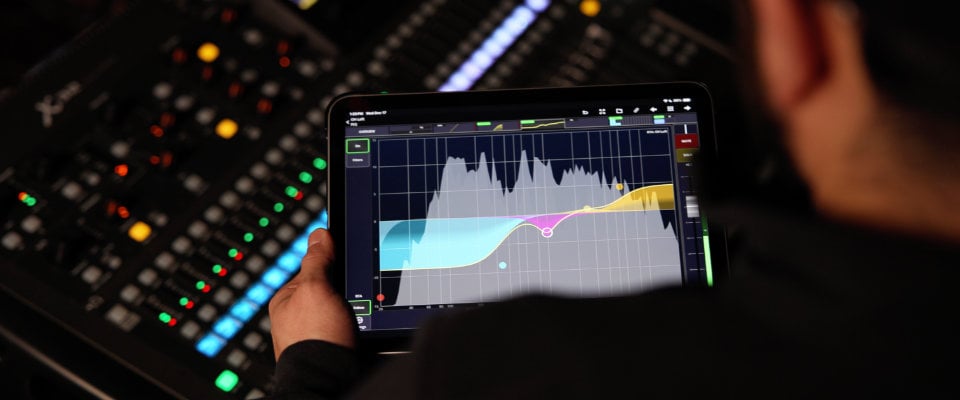
Audio engineers rarely have just one gig.
If you're like most, your week probably includes a mix of live sound, recording sessions, maybe podcast editing, and perhaps even a last minute fill-in job at a venue you’ve never stepped foot in. And somewhere in there, you’re probably working on your own projects too.
That kind of variety is great. It’s also chaotic.
Different boards. Different setups. Different expectations every time you show up.
So instead of talking about theory, let’s talk about something practical: the one piece of mixing software that consistently shows up in workflows across all of those environments, and why it’s stuck around.
What is Mixing Station?
One interface, no matter the board
You can actually make it your own
It’s surprisingly affordable
Reliability is the reason it stuck
It works with almost everything
It’s trailblazing audio tech
Final Thoughts
Mixing Station is a third party mobile and desktop app used to remotely control digital mixing consoles.
It was created by David Schumann, and over time it’s built a reputation for being one of the most stable and customizable tools in live sound.
It didn’t start as one unified platform. In the mid 2010s, there were separate versions depending on the mixer you were using. Around 2020, that shifted into a single app that now supports over 60 mixer models across all major manufacturers.
If you do enough gigs, you already know the reality.
One day you're on a Behringer X32. Next day it’s a Yamaha console. Then maybe Allen & Heath the following weekend.
Nearly every manufacturer has their own app. Their own layout. Their own strength and their own quirks.
That context switching adds up fast, especially in live audio.
Mixing Station removes most of that friction. You’re working from the same interface across all boards, so instead of re-learning layouts, you’re focusing on mixing well with a tool you’re already comfortable with.
It’s one of those things you don’t fully appreciate until you go back to bouncing between native apps again.
Most mixing apps are rigid. What you see is what you get.
Mixing Station takes the opposite approach.
If EQ is your focus, you can make it bigger on your layout. If you want faders tighter and more compact, you can do that. If you only care about a handful of channels, you can build a custom interface around that.
Nothing feels locked in.
That level of customization isn’t just nice to have. Over time, it turns into practical speed. Your controls are where you expect them to be, every time.
I know, we’re talking about tech, but price matters.
Mixing Station is accessible for pretty much every budget. We’re talking less than $10 per month depending on how you use it.
If audio is part of your job, the math is simple.
Even if it only saves you time setting up on unfamiliar gear, it pays for itself quickly. Not having to download, configure, and learn a new app for every mixer is a bigger deal than it sounds.
It’s basically an easy button, and it’s even priced like one.
There’s a reason this app has lasted and become a staple in the audio industry.
For over a decade, the word most people associate with Mixing Station is “reliability.”
And that’s not really something that’s optional in this category.
If a remote control app only worked some of the time, you wouldn’t use it. No one would. When you're walking a room or dialing in monitors from the floor, it has to respond instantly and consistently.
That’s where Mixing Station built its reputation, and it’s why people keep it installed even as other tools come and go.
Compatibility is where things get kind of ridiculous, in a good way.
Mixing Station works with consoles from brands like Allen & Heath, Behringer, Mackie, Midas, PreSonus, QSC, Soundcraft, TASCAM, and more.
That kind of support didn’t come from a massive team. It came from years of steady development and a clear understanding of what working engineers actually need.
Even if you have a preferred brand, odds are you’ll run into other systems. When you do, it’s nice not to start from zero.
The most interesting development from Mixing station as of late is Mixing Station Web.
It’s a browser based version that looks a bit different from the core app, but adds something new. Real time audio and video preview alongside your controls.
That means you don’t have to be on site, or even on the same network, to mix.
For some workflows, that’s a convenience. For others, it completely changes what’s possible.
Less travel. More flexibility. And in some cases, access to gigs you wouldn’t have been able to take otherwise.
That’s a level of flexibility most mixing tools still don’t offer.
There are a lot of mixing apps out there.
Most of them are tied to a single console. Most of them do the core job they’re supposed to do.
Mixing Station stands out because it goes beyond that. It simplifies your workflow across different environments, adapts to how you like to work, and does it reliably.
If you’re juggling multiple gigs, multiple boards, and constantly changing setups, that consistency starts to matter more than anything else, and it’s why audio pros keep coming back to it time and time again.
If you want to go deeper into Mixing Station and what it has to offer, check out the full Mixing Station product page through the link below and see how it could fit into your setup.