



|
BoxCast Streaming BoxCast Flow BoxCast Spark Broadcaster App BoxCast Producer Third-Party Encoders |

|
BoxCast RemoteMix Compatible Mixers Mixing Station Works with BoxCast RemoteMix |

|
BoxCast OTT Apps |
|
|
BoxCast Streaming BoxCast Flow BoxCast Spark Broadcaster App BoxCast Producer Third-Party Encoders |
|
|
BoxCast RemoteMix Compatible Mixers Mixing Station Works with BoxCast RemoteMix |
|
|
BoxCast OTT Apps |
Live Streaming by Industry, Featured Government
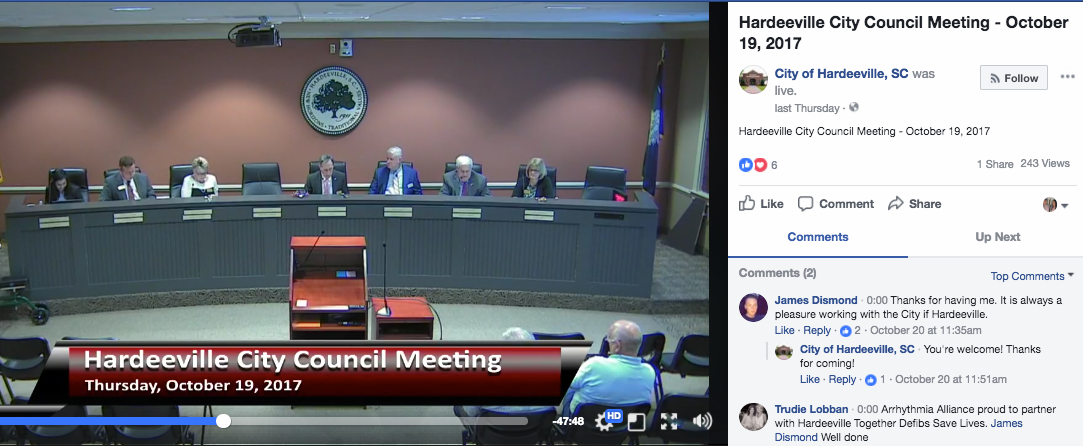
Streaming council meetings on your website is a great start to public meeting transparency. But your residents aren't all on your website. Some check Facebook first thing in the morning, some search YouTube when they want to know what happened at last night's zoning hearing, and some just want the meeting on their TV. The good news is you don't have to create a separate stream for each of those places. Instead, you can use a technique called simulcasting.
Simulcasting means sending one stream to multiple locations at the same time. In this article, we'll look at how simulcasting works on the BoxCast platform and a few things local governments should think about before going live on social media.
Without simulcasting, every extra destination means another encoder, another upload, and more bandwidth eaten up at city hall. With BoxCast, you send one stream from your meeting room to BoxCast, and we handle the distribution from there. You can broadcast to unlimited destinations at once, including:
Because the extra destinations are handled in the cloud, adding YouTube to a meeting that's already going to your website and Facebook doesn't add any load to your building's internet connection.
Setup only takes a few minutes. You connect your Facebook, YouTube, or other accounts in the BoxCast dashboard once, then pick where each meeting goes when you schedule the broadcast. If your YouTube channel has never gone live before, give yourself at least a day of lead time, since YouTube requires phone verification before it turns on live streaming. Our support center walks through each destination step by step.
Social platforms are great for reach, but they weren't built with public meetings in mind. A few things are worth sorting out before your first simulcast.
In 2025, Facebook began automatically deleting live videos from Pages and profiles after 30 days unless they're downloaded or saved another way. If a social platform is the only place a meeting lives, you're at the mercy of its policies. Use your website and BoxCast archive as the permanent home for meeting video, and treat social media as a way to bring people there.
Live chat can add a lot of energy to a meeting, but it also raises questions for public entities about moderation and free speech. The Supreme Court weighed in on how officials manage social media accounts in Lindke v. Freed (2024), so it's worth talking with your attorney about a written comment policy before you open the floodgates. Some cities choose to turn comments off on meeting streams and point residents to the official public comment process instead.
Under the Department of Justice's ADA Title II rule, state and local governments need accessible web content, including captions on live and recorded meeting video. Sending your meeting to YouTube or Facebook doesn't shift that responsibility to the platform. We break down the deadlines and what they mean for your meetings in our post on ADA Title II captioning for public meetings.
Streaming to multiple platforms is a great way to reach residents wherever they already spend their time, and with BoxCast, it only takes a few clicks. Keep your website as the home base, let social media do the outreach, and you'll get the best of both.
To find out more about what to look for in a live streaming service for your local government, click the button below to learn more


